

Map a buying committee
A committee map answers one question for one account and one use case: who owns the problem, who signs off the budget, who shapes the evaluation, and who feels the pain every day. Every person carries the evidence that put them there and a confidence score.
Run a map from the dashboard
Section titled “Run a map from the dashboard”- Open Use cases and add a use case if you have not yet (see Use cases).
- On the use case, press Map an account.
- Enter the Account domain (for example
northmerebank.example) and, optionally, the Account name. - Leave Also verify each person’s professional footprint ticked to run the footprint check on everyone kept.
- Press Price and run. A dialog shows what the run is estimated to use, line by line, and your credits available.
- Press Run for N credits. The run works in the background. A card shows its progress, and Open the map appears when it is done.
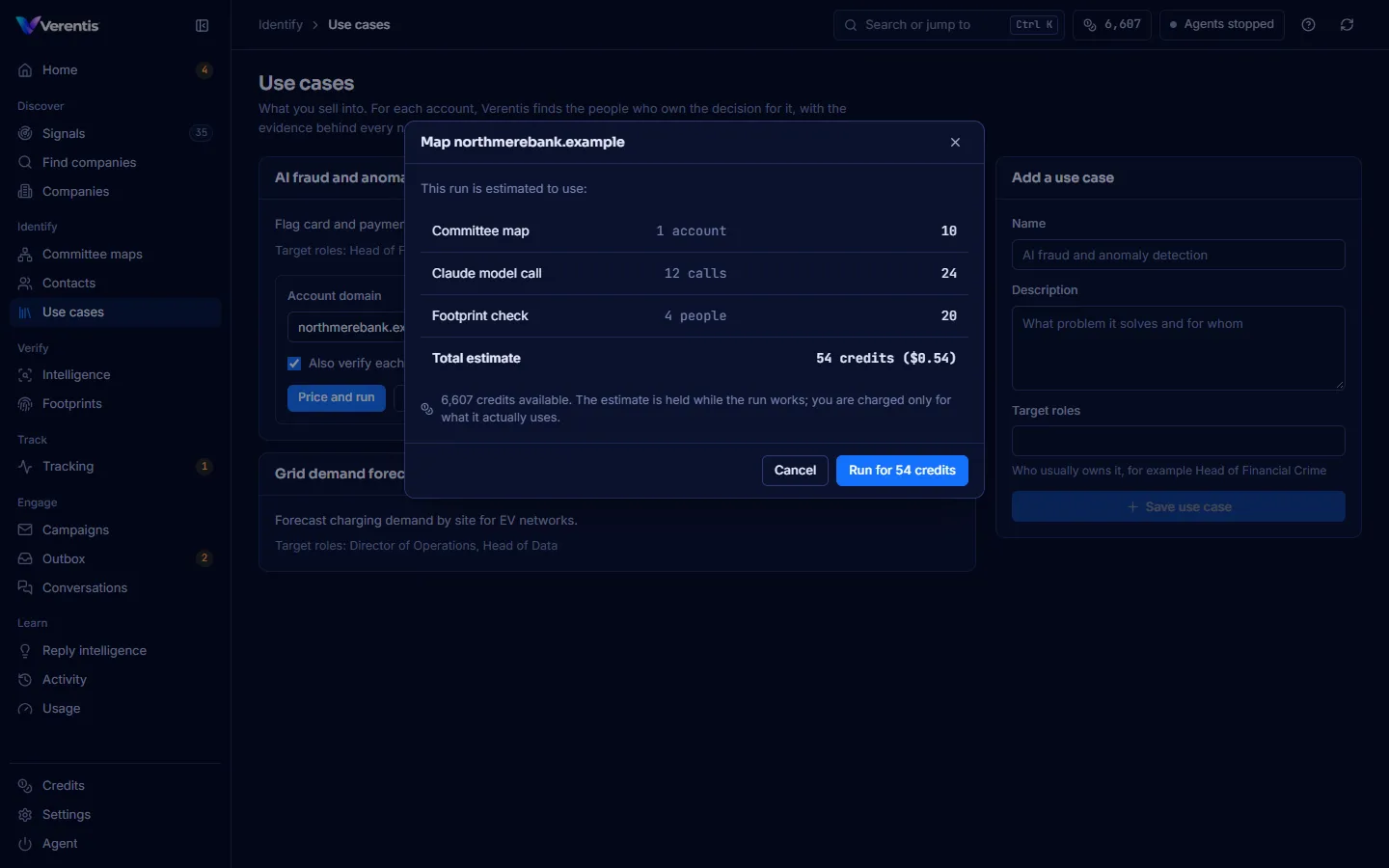
You are charged only for what the run actually uses. The estimate is held while it works and the rest is released. See Credits and the wallet.
Read a map
Section titled “Read a map”Open Committee maps and choose the account in the Account list.
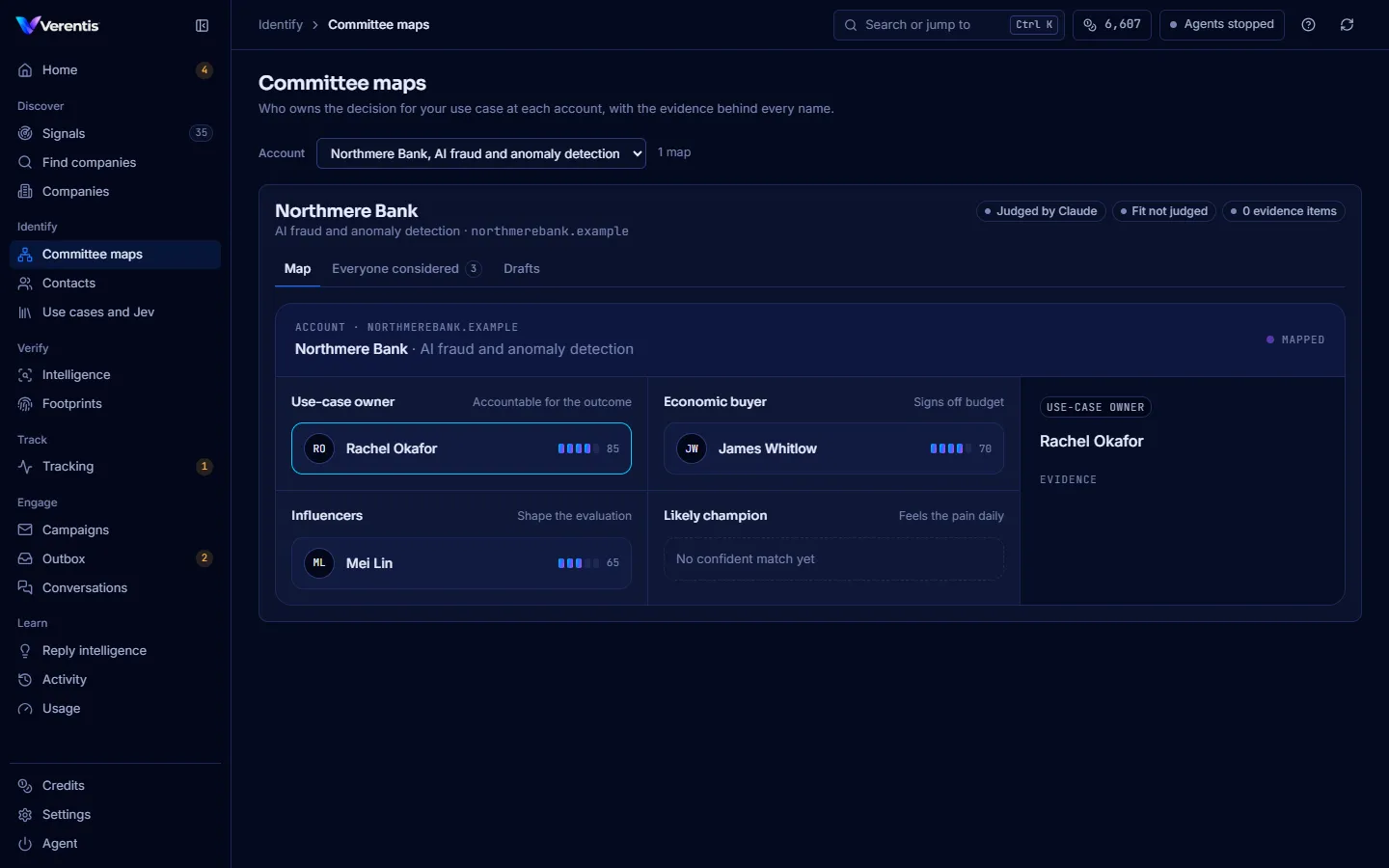
- Use-case owner: accountable for the outcome.
- Economic buyer: signs off the budget.
- Influencers: shape the evaluation.
- Likely champion: feels the pain daily. “No confident match yet” means nobody cleared the bar, which is better than a guess.
The bars and number next to each person are the role confidence (0 to 100). Select a person to see the evidence on the right.
The badges at the top tell you how the map was made: Judged by Jev or Judged by Claude, the account fit (Jev only) and the number of evidence items.
Two more tabs:
- Everyone considered: every person found, including those sent to review or dropped, and why.
- Drafts: a short first message per person, citing only the evidence. A gate marks each draft pass, review or blocked if it claims something the evidence does not support. Drafts are never sent from here.
How people are routed
Section titled “How people are routed”| Route | When |
|---|---|
| Auto (on the map) | Role confidence at or above committee.auto_accept (0.80 by default) |
| Review | At or above committee.review (0.55), or unsure whether the person is still in the role |
| Drop | Not relevant, confidently moved on, or below the review line |
From the terminal
Section titled “From the terminal”verentis map northmerebank.example --company "Northmere Bank" \ --use-case "AI fraud and anomaly detection" --verifyAdd --dry-run to try it without saving, --judge claude or --judge jev to choose the judge, and --no-draft to skip drafts. See the CLI reference.