

Confirm signals
A signal is one fact Verentis can learn about a business or a person: whether they run Google Ads, who their agency is, whether the board has named a priority. Verentis proposes; you confirm. Nothing is collected until you switch a signal on.
Review and confirm signals
Section titled “Review and confirm signals”- Open Signals in the sidebar. The count next to it is the number of signals waiting on you.
- Pick a group across the top: Discovery, Profile, People, Footprint, Tracking, Contactability or Learn.
- Read each row. It says what the signal is, what it costs (Free, Paid, or a specific cost such as one Jev call per account), and how many companies already carry it.
- Press Switch on to confirm a signal, or Skip to leave it off.
- To confirm several at once, tick the boxes on the left and use the bar that appears.
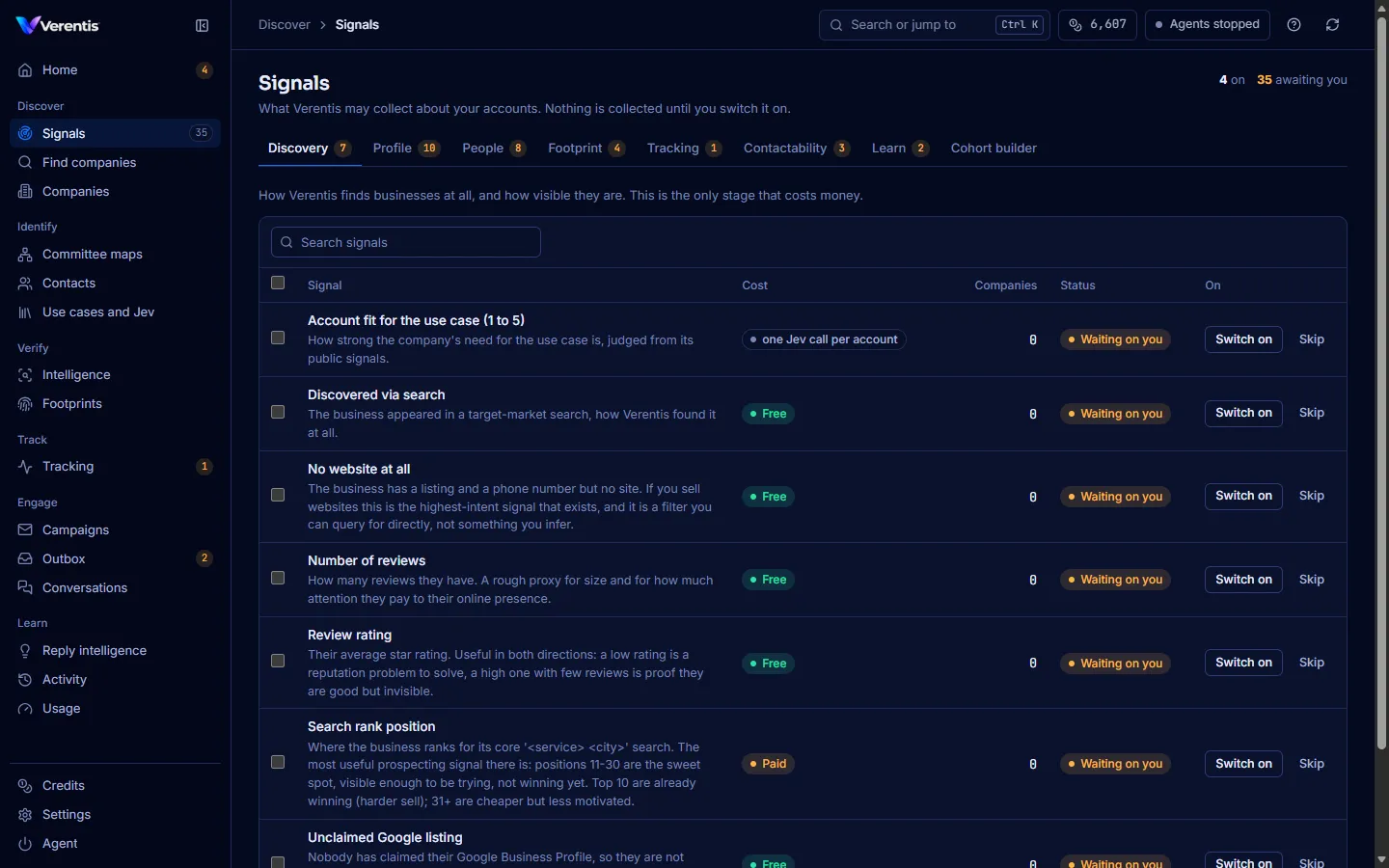
The figures at the top right show how many signals are on and how many are awaiting you.
Build a cohort
Section titled “Build a cohort”A cohort is a target list built from signals, so you always know why each company is on it.
- On Signals, open the Cohort builder tab.
- Under Must have, pick the signals a good prospect needs.
- Under Must not have, pick anything that rules a company out.
- The count of matching companies updates as you choose. Press Export CSV to download the list.
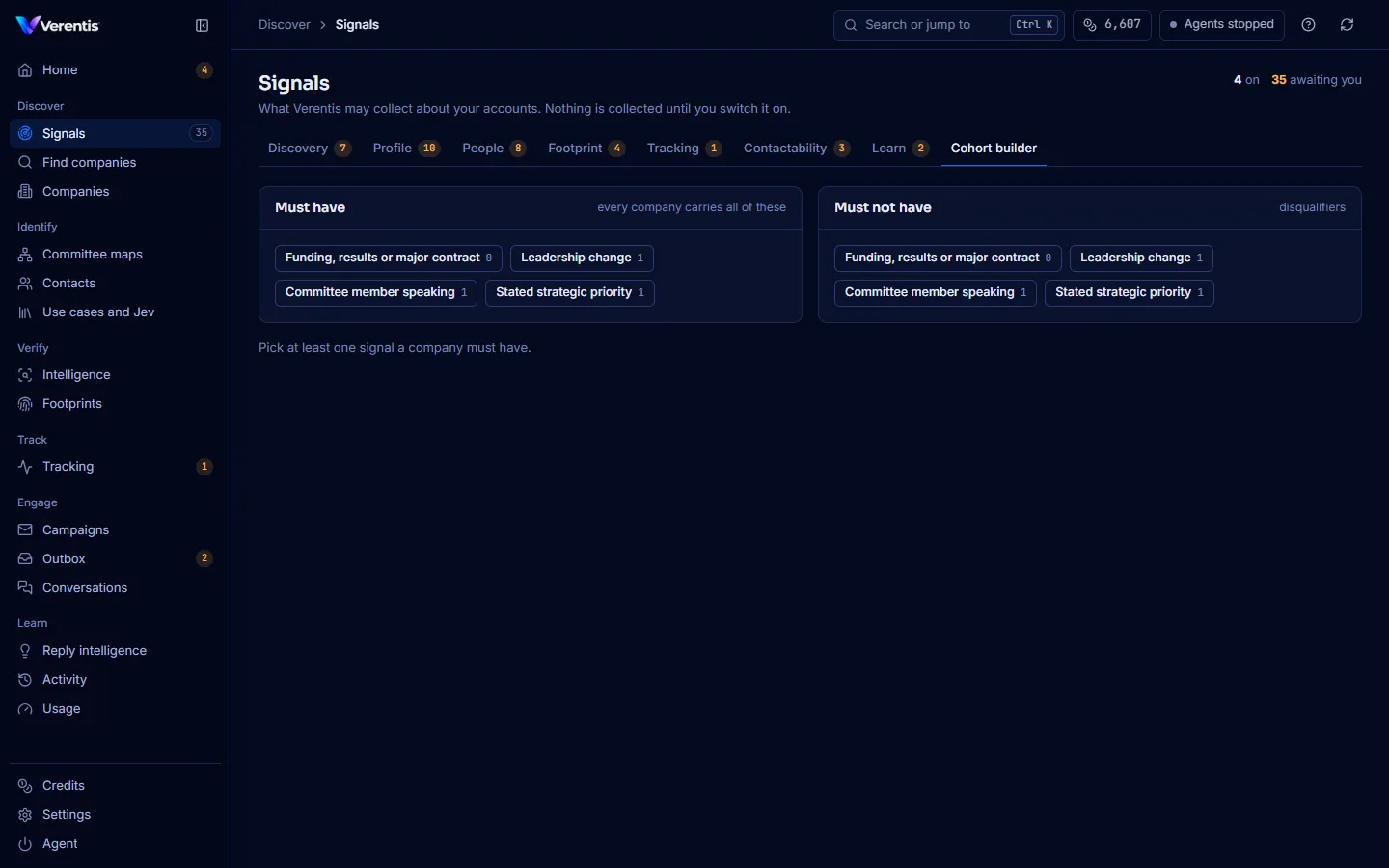
For example: has a marketing agency AND running Google Ads AND NOT has online booking.
If nothing matches, the page says so. Loosen the cohort, or find more companies.
From the terminal
Section titled “From the terminal”verentis signals # the catalog and what is onverentis signals --confirm free # every free signalverentis signals --confirm SERP_RANK # one paid signal, by codeverentis signals --reject BLOG_STALE # switch one offSee the signals reference for every code.