

Use cases
A use case is what you sell into, in plain words, for example “AI fraud and anomaly detection”. For each account you pick, Verentis finds the people who own that decision, with the evidence behind every name.
Add a use case
Section titled “Add a use case”- Open Use cases (under Identify).
- In Add a use case, fill in:
- Name: short and specific.
- Description: the problem it solves and for whom.
- Target roles: who usually owns it, for example “Head of Financial Crime”.
- Press Save use case.
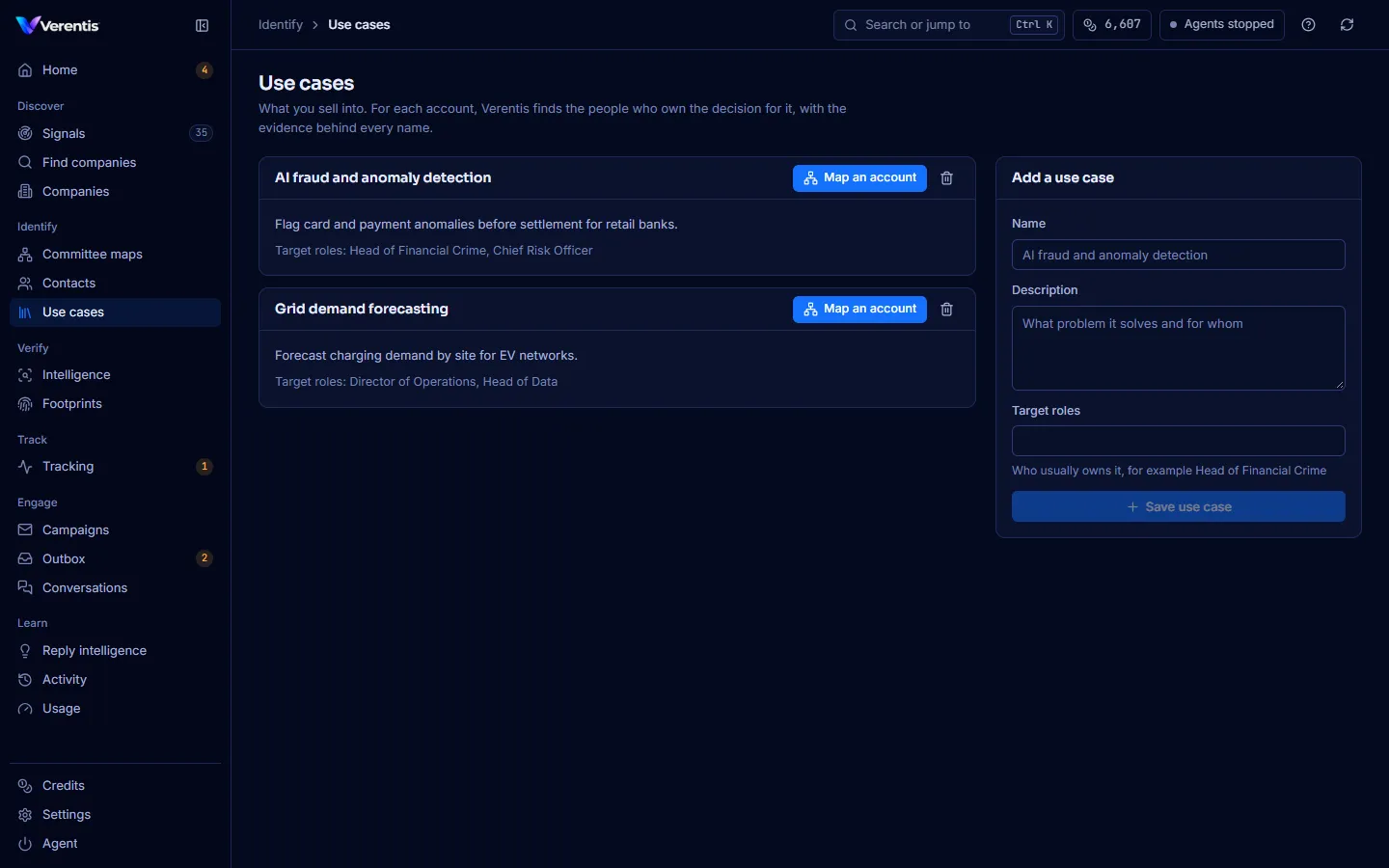
Each use case has a Map an account button. See Map a buying committee.
How people are judged
Section titled “How people are judged”You don’t need to choose or tune anything. Verentis uses Jev, a calibrated decision model, to judge each person’s role, whether they are still in the job and how well the account fits, and to check drafts for claims the evidence does not support. Without Jev, Claude answers the role questions.
Each brief shows which judge was used, for example Judged by Jev. Your administrator connects Jev and tunes its thresholds in the superadmin console.