

Reply intelligence
Every reply teaches Verentis something. Reply intelligence classifies each one, re-scores the committee, and proposes one next step per conversation for you to approve.
Approve next steps
Section titled “Approve next steps”- Open Reply intelligence (under Learn).
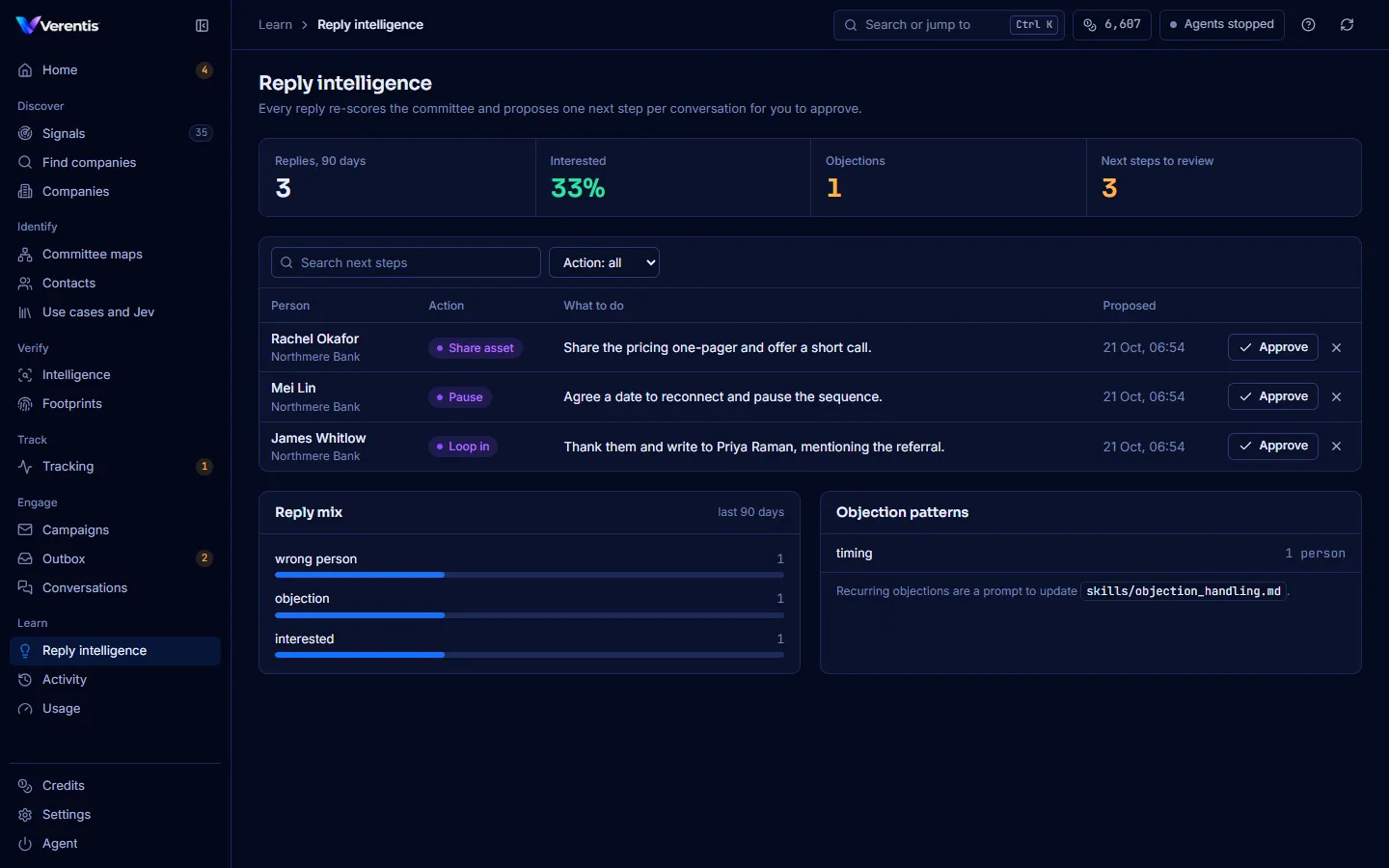
- The figures at the top show Replies, 90 days, the share that were Interested, how many were Objections, and how many Next steps to review.
- In the table, each row is one proposed step: the person, the Action (for example Share asset, Loop in, Pause) and What to do.
- Press Approve to accept it, or the cross to dismiss it. Filter by action, or search, above the table.
What the actions mean
Section titled “What the actions mean”| Action | When it is proposed |
|---|---|
| Share asset | The person asked for pricing, a case study or detail. |
| Loop in | They pointed to someone else (“please speak to Priya”). That person is added to the committee for review. |
| Pause | Timing objection (“not until next quarter”). Agree a date and pause the sequence. |
Reply mix and objection patterns
Section titled “Reply mix and objection patterns”- Reply mix: how the last 90 days of replies were classified (interested, objection, wrong person and so on).
- Objection patterns: the objections that recur, and how many people raised them. A recurring objection is a prompt to update
skills/objection_handling.mdwith the answer you would actually give.
How replies change the committee
Section titled “How replies change the committee”- A wrong person reply lowers that person’s confidence and adds any referral to the committee for review.
- An interested reply raises it.
- An opt-out is permanent: the person is suppressed and their watchlist is deleted.