

Credits and the wallet
Some work costs money: web searches, Jev judgements, footprint checks, committee maps, email verification. Your workspace has a wallet of credits that pays for it, so every cost is visible before and after.
1 credit is $0.01 (USD).
See what is left
Section titled “See what is left”The credits chip in the top bar always shows your available credits. It turns amber when you drop below your low-balance threshold. Click it to open Credits.
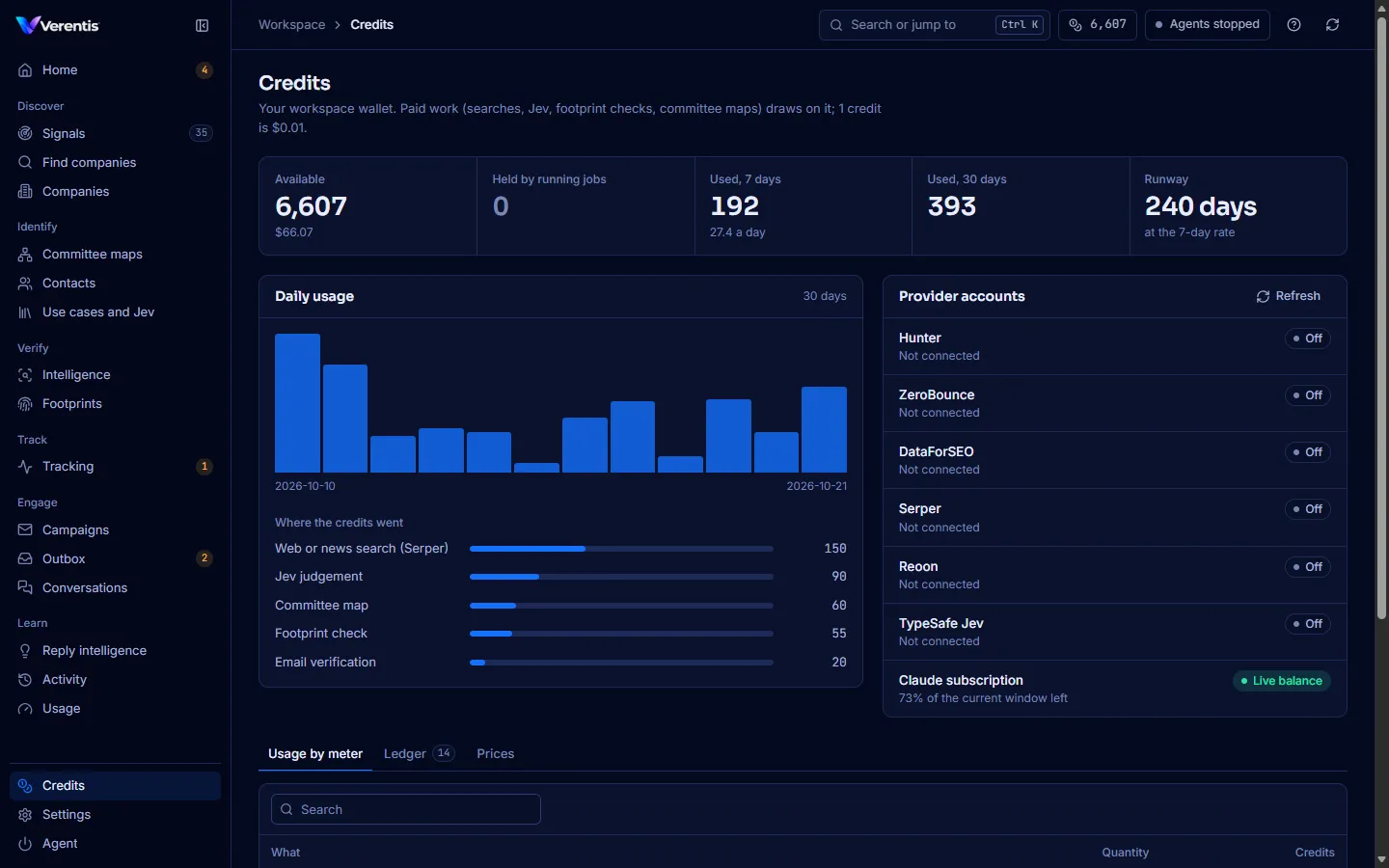
The figures across the top:
| Figure | Meaning |
|---|---|
| Available | What you can spend now, with its dollar value. |
| Held by running jobs | Set aside for runs in progress. Released when they finish. |
| Used, 7 days and Used, 30 days | What was spent, and the average per day. |
| Runway | Days left at the 7-day rate. |
Below them:
- Daily usage, and Where the credits went by meter.
- Provider accounts: what is left on the services Verentis uses. Live balance means the provider reported it (Hunter, ZeroBounce, DataForSEO and your Claude subscription window). Metered here means the provider has no balance endpoint, so Verentis counts usage itself (Serper, Reoon, TypeSafe). Off means not connected. Press Refresh to read them again (they are cached for 10 minutes).
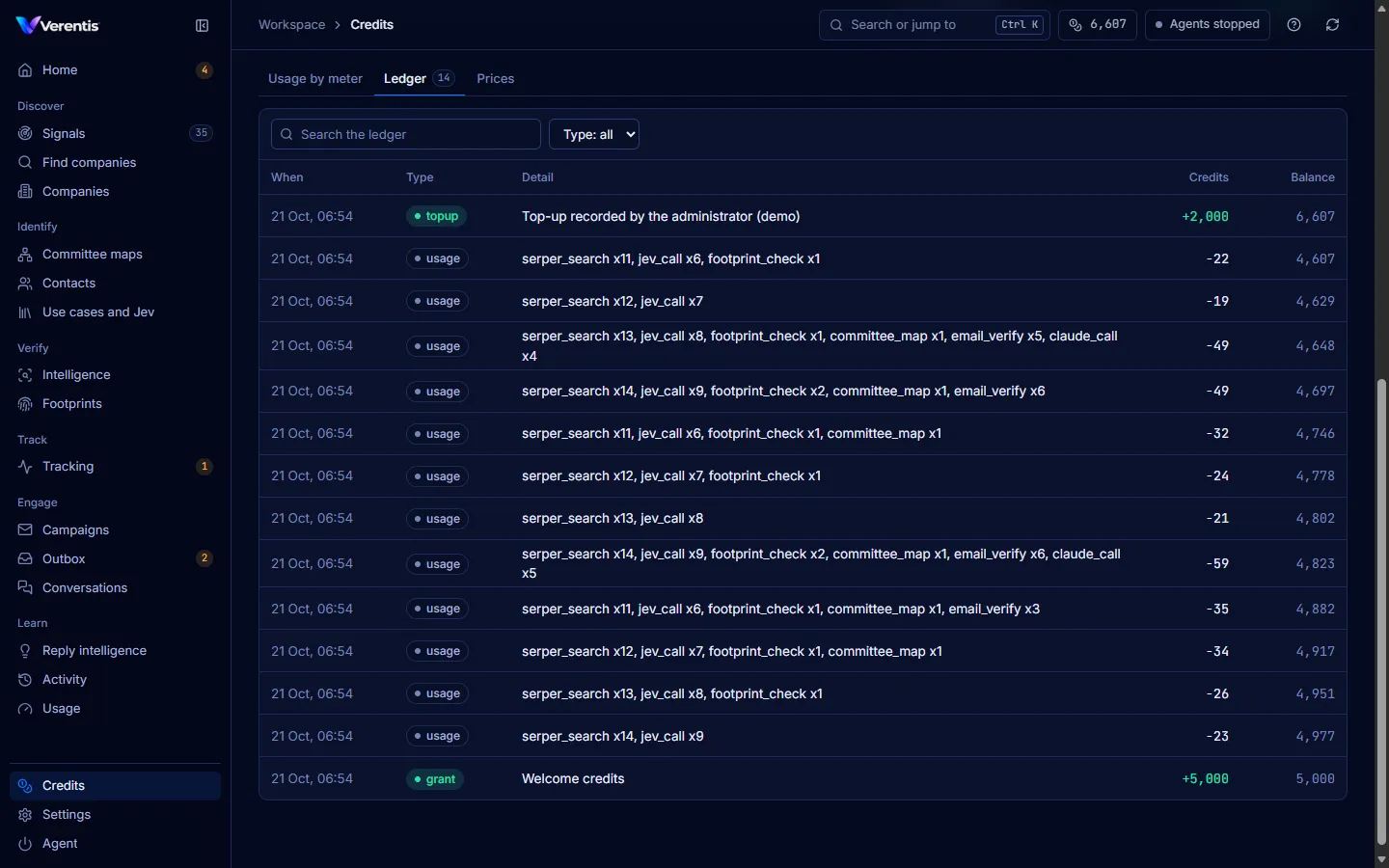
- Usage by meter, the Ledger of every credit movement, and the Prices per meter.
How a run is charged
Section titled “How a run is charged”Runs you start from the dashboard (committee maps, footprint checks, evaluations) are priced before they start:
- You press Price and run (or Check professional footprint).
- The confirm dialog lists each paid step, its quantity and its credits, then the Total estimate and your credits available.
- You press Run for N credits. The estimate is held from your balance.
- When the run finishes, you are charged for what it actually used and the rest is released. A run can never spend more than was held.
If the wallet cannot cover the estimate, the dialog says Not enough credits and the run button stays disabled.
The agent loop is charged as it goes, cycle by cycle. When credits run out, paid steps (searches, tracking, maps, footprint checks) pause and Home shows Credits exhausted. Free work (reading websites, the Outbox, replies) carries on.
Default prices
Section titled “Default prices”| Meter | Per | Credits |
|---|---|---|
| Web or news search (Serper) | search | 1 |
| News check (Google News feed) | account | 0 (free) |
| Jev judgement | call | 1 |
| Claude model call (runs you start) | call | 2 |
| Footprint check | person | 5 |
| Committee map | account | 10, plus its searches and calls |
| Email verification | address | 1 |
| Judge evaluation | labelled person | 1 |
| Discovery provider spend | USD | 100 |
Your administrator can change these. The Prices tab always shows the current ones.
Adding credits
Section titled “Adding credits”Credits are added by your administrator in the superadmin console. Top-ups are recorded in the ledger with a note (for example an invoice number). There is no card payment in the app yet.